
TESSA
An AI-assisted valuation workbench that keeps the reasoning behind a real estate comp — not just the number.
Overview
TESSA is a valuation workbench for real estate agents, built to hold the reasoning behind a comp-based estimate, not just the number at the end of it. It’s being developed for a working real estate practice, and it’s still early — the ideas are further along than the software, which is exactly the stage this page is trying to document honestly.
The problem
An experienced agent can look at a property and feel, almost immediately, that a lake view is worth something specific, or that an unfinished basement is dragging the number down — but that judgment rarely survives being written down. It gets compressed into a single adjusted price, and the reasoning that produced it stays in the agent’s head, available only if a seller happens to ask the right question in the right order.
Existing CMA software is very good at retrieving comps and computing adjustment tables, but typically places less emphasis on preserving why a particular adjustment was made. The actual expertise—the part a seller is paying for—can disappear from the final deliverable.
The idea
The working hypothesis was narrow: what if the unit of output wasn’t a price, but a claim? TESSA is organized around a single structure — the Valuation Finding — that pairs a claim (“this lot size adds value”) with the evidence behind it and a specific dollar contribution. A valuation, in this model, isn’t a number the software produces; it’s a set of findings an agent can accept, reject, or edit, that happen to sum to a number.
How it thinks
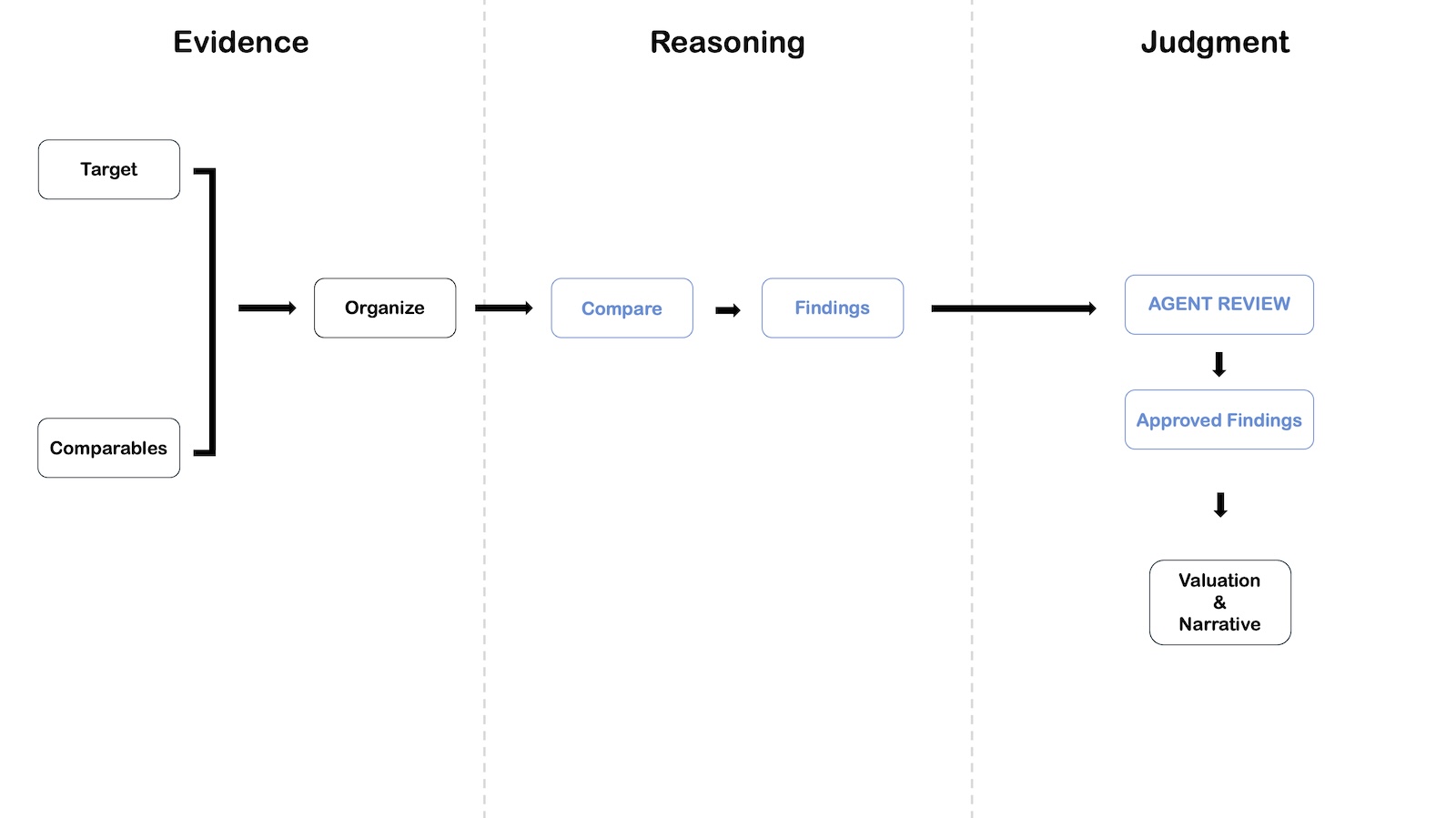
Decision engine — how a property's raw comps become a structured valuation finding.
Conceptually, the flow moves through three stages: raw comparison (what’s actually different between the target property and each comp), candidate reasoning (a plain-language explanation for why a difference might matter), and adjudication (the agent accepting, rejecting, or editing the claim before it counts toward the estimate). The system proposes; it doesn’t decide.
In practice
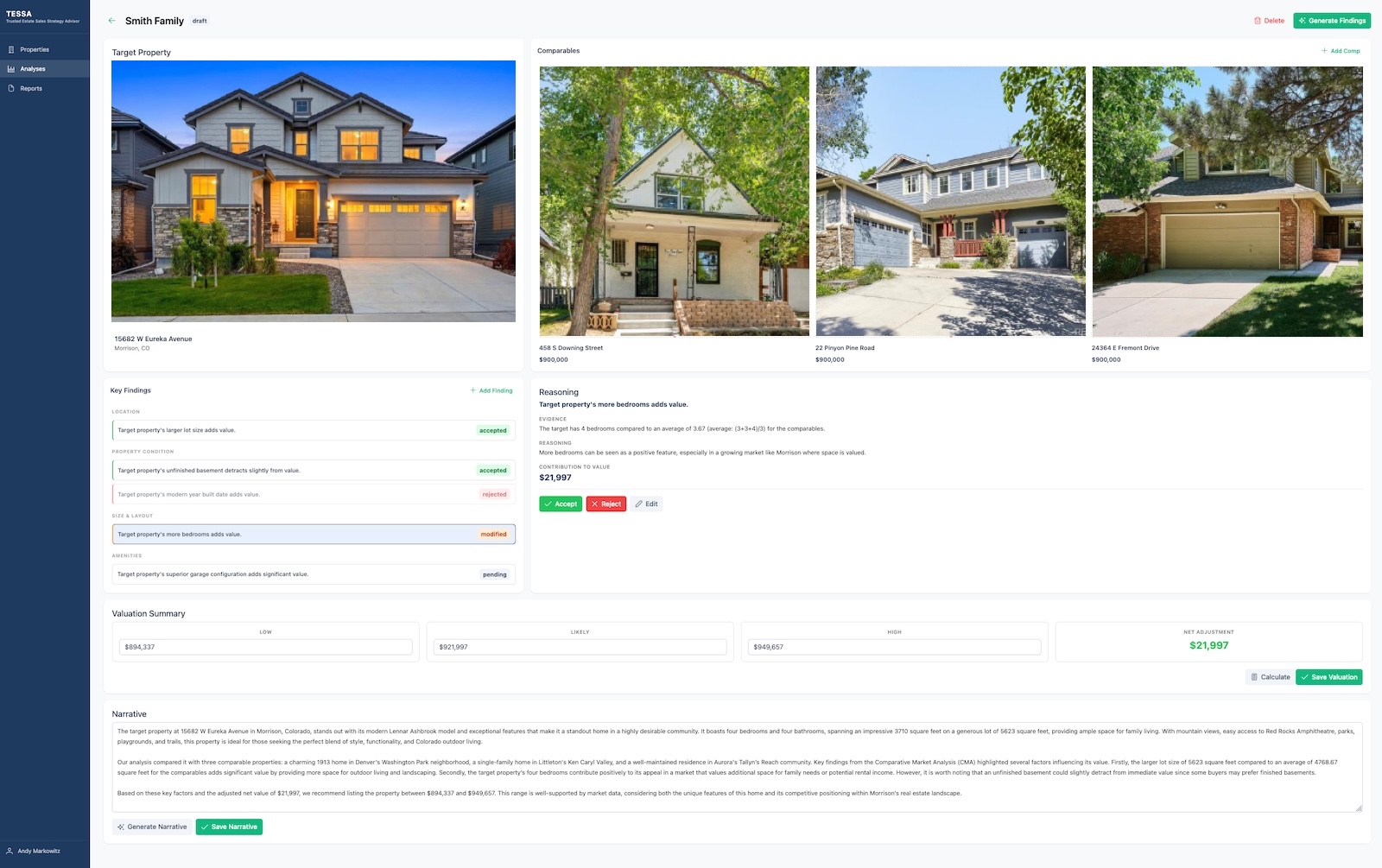
Property comparison interface — target property, comparables, and the analysis panel, side by side.
The current build already resembles the finished workflow: three zones on one screen, findings tagged by status, and a valuation range that recalculates as findings are accepted or rejected.
From notebook to product
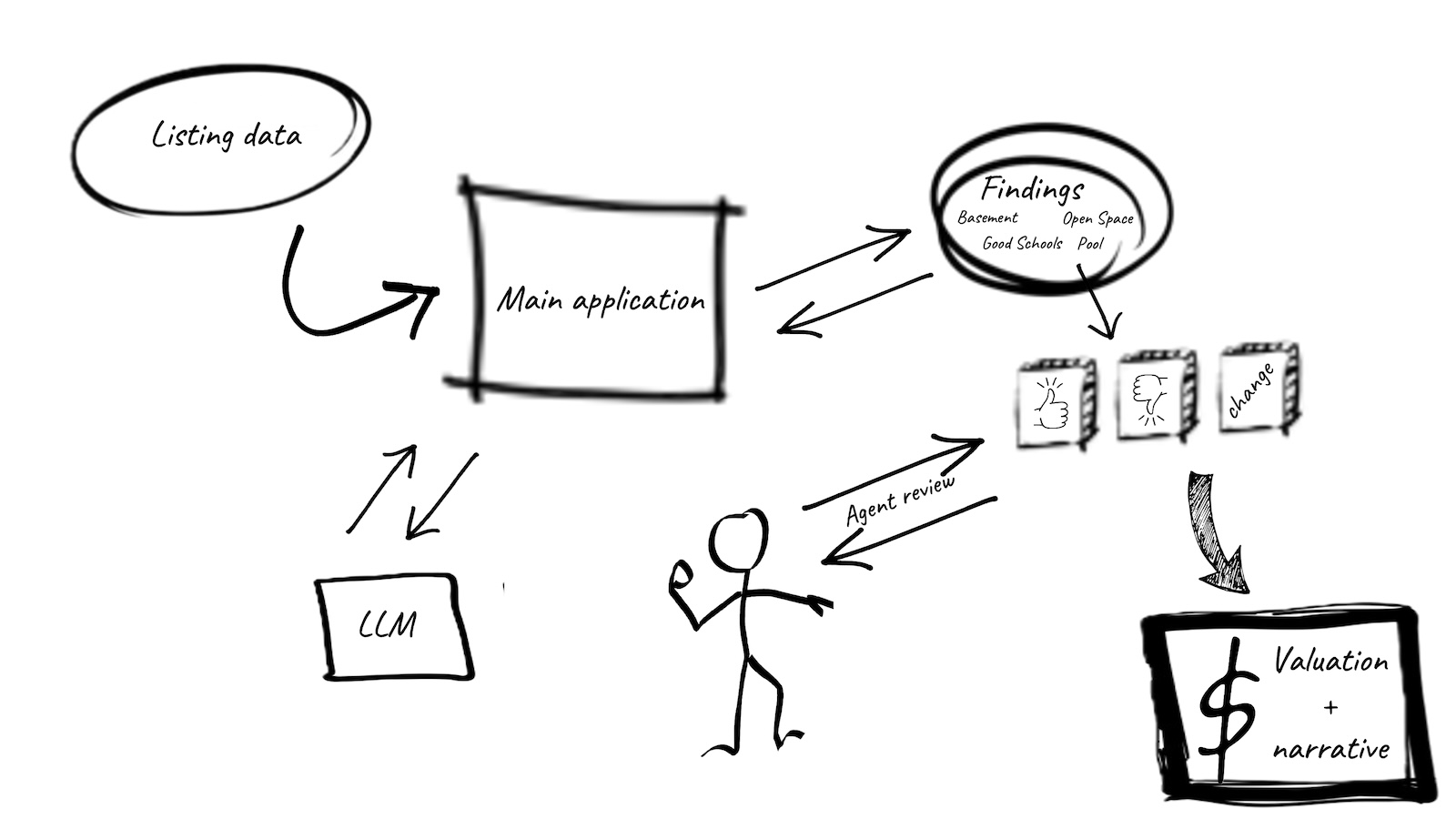
Early sketches of the Valuation Finding concept, before it had a name.
Lessons learned
The biggest surprise wasn’t technical — it was how much resistance there was, internally, to letting an agent reject a finding outright rather than just quietly editing the number. The instinct was to make disagreement invisible. It turned out the opposite was true: a visible “rejected” tag is more useful than a silently adjusted number, because it preserves the fact that the system proposed something wrong — which is itself information.
What’s next
The open question right now is how far a Valuation Finding can travel outside its original context — whether the same structure that works for a lake-view premium holds up for something messier, like a school district boundary or a pending zoning change. We’re still finding out.
Product concept, dashboard design, requirements definition — Andy Markowitz